
Developers
Four ways in: MCP, SDKs, webhooks, and the API.
Connect an assistant, call MIDAAS from your own code, or have it tell your systems when something happens.
- MCP server. Five tools: ask, search, list_libraries, get_document and get_page. Connect with a personal API key sent as a header. There is no OAuth sign-in yet. The assistant sees exactly what that person can see.
- Python and TypeScript SDKs. midaas for Python and @midaas/sdk for TypeScript: ask, streamed answers, upload and wait, libraries and collections, evaluation runs, webhook verification and typed errors. Included for customers.
- Webhooks. document.completed, document.failed, document.deleted, pipeline.run.completed and eval.run.completed. Signed with HMAC-SHA256 in the MIDAAS-Signature header, retried six times over about nine hours, with a delivery log. No document text in payloads.
- REST API and command line. Answers streamed over HTTP, and midas-ctl for adding documents, asking, and running your own question set against your own documents.
# connect Claude Code to your workspace over MCP
claude mcp add --transport http midaas \
  https://acme.midaas.app/api/v1/mcp \
  --header "Authorization: Bearer $MIDAAS_API_KEY"

# add a document to a collection
midas-ctl ingest file ./service-manual.pdf --collection indoor-units

# ask, with citations
midas-ctl query run "What plugs into DN66?"

# the same from Python, with the SDK
from midaas import Midaas
client = Midaas()  # reads MIDAAS_URL and MIDAAS_API_KEY
answer = client.ask("What plugs into DN66?", collection="indoor-units")
print(answer.text)

# or over HTTP, streamed as it's written
curl -N https://acme.midaas.app/api/v1/query \
  -H "X-API-Key: $MIDAAS_API_KEY" -H "Content-Type: application/json" \
  -d '{"query":"What plugs into DN66?","stream":true}'

# measure answer quality on your own questions
midas-ctl eval run --collection indoor-units
Example apps
A working chat, three ways.
Every workspace has these under Developers: a chat you can use straight away, and the code behind it to copy. Each one keeps the conversation going and lists the sources under every answer.
Ask from an assistant
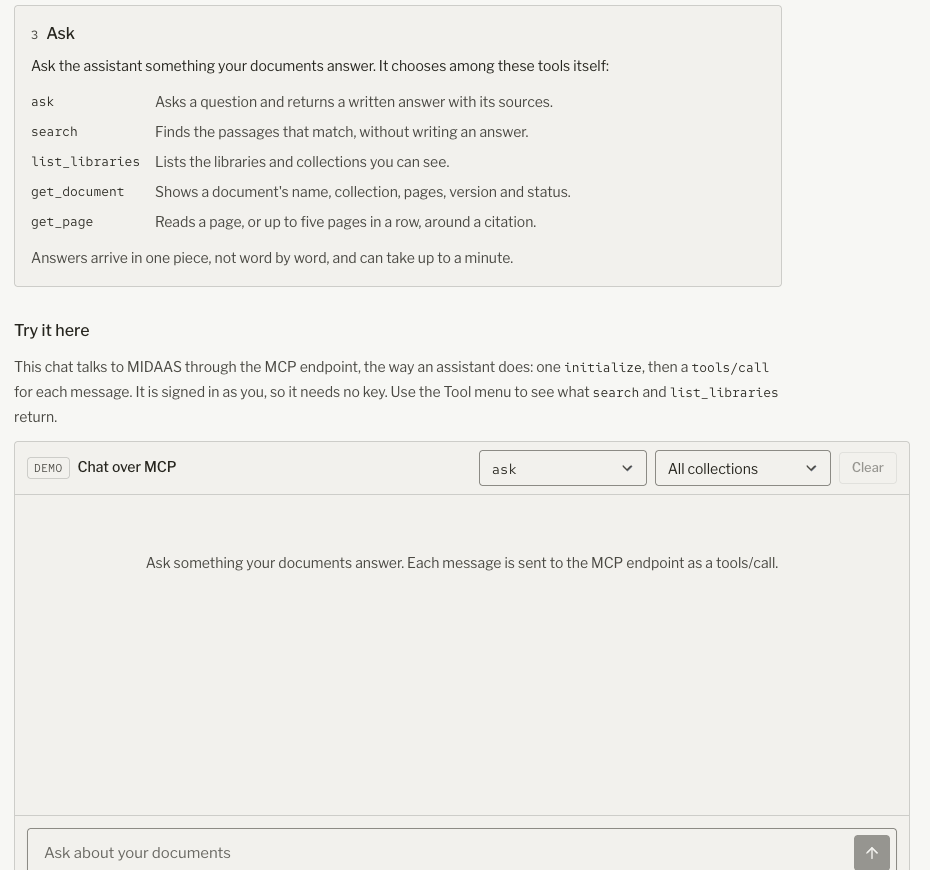
Connect Claude, or any assistant that supports the Model Context Protocol, to your workspace. The assistant sees what you can see in MIDAAS and nothing more. It chooses among five tools itself: ask, search, list_libraries, get_document and get_page.
The chat in the app talks to the same endpoint an assistant does: one initialize, then a tools/call for each message.
claude mcp add --transport http midaas \
  https://your-workspace.midaas.app/api/v1/mcp \
  --header "Authorization: Bearer $MIDAAS_API_KEY"
"""A minimal MCP client for MIDAAS, using only the Python standard library.

    export MIDAAS_API_KEY="<your key>"
    python mcp_chat.py
"""
import json
import os
import re
import urllib.error
import urllib.request

MCP_URL = "https://your-workspace.midaas.app/api/v1/mcp"
API_KEY = os.environ["MIDAAS_API_KEY"]

next_id = 0
protocol_version = None  # agreed at initialize, then sent with every request


def rpc(method, params=None, notification=False):
    """Send one JSON-RPC 2.0 message. Returns the result, or None for a notification."""
    global next_id
    message = {"jsonrpc": "2.0", "method": method}
    if params is not None:
        message["params"] = params
    if not notification:  # a notification has no id and gets no answer
        next_id += 1
        message["id"] = next_id
    headers = {
        "Authorization": f"Bearer {API_KEY}",
        "Content-Type": "application/json",
        "Accept": "application/json, text/event-stream",
    }
    if protocol_version:
        headers["MCP-Protocol-Version"] = protocol_version
    request = urllib.request.Request(MCP_URL, data=json.dumps(message).encode(), headers=headers, method="POST")
    try:
        with urllib.request.urlopen(request, timeout=120) as response:
            body = response.read()
    except urllib.error.HTTPError as exc:
        raise SystemExit(f"MIDAAS answered {exc.code}: {exc.read().decode(errors='replace')}")
    if notification or not body:
        return None
    reply = json.loads(body)
    if "error" in reply:
        raise RuntimeError(reply["error"]["message"])
    return reply["result"]


def text_of(result):
    """A tool result is a list of content parts; MIDAAS sends one text part."""
    return "\n".join(part["text"] for part in result["content"] if part["type"] == "text")


def main():
    global protocol_version
    hello = rpc("initialize", {
        "protocolVersion": "2025-06-18",
        "capabilities": {},
        "clientInfo": {"name": "mcp-chat", "version": "1.0.0"},
    })
    protocol_version = hello["protocolVersion"]
    rpc("notifications/initialized", notification=True)

    tools = rpc("tools/list")["tools"]
    print(f"Connected to {hello['serverInfo']['name']} {hello['serverInfo']['version']}.")
    print("Tools:", ", ".join(tool["name"] for tool in tools))
    print("Ask about your documents. Press Ctrl+C to stop.")

    conversation_id = None
    while True:
        try:
            question = input("\nYou: ").strip()
        except (EOFError, KeyboardInterrupt):
            print()
            break
        if not question:
            continue
        arguments = {"question": question}
        if conversation_id:
            arguments["conversation_id"] = conversation_id  # a follow-up in the same conversation
        result = rpc("tools/call", {"name": "ask", "arguments": arguments})
        text = text_of(result)
        if result.get("isError"):
            # One plain sentence: for example, the workspace's daily AI limit was reached.
            print("\nMIDAAS could not answer:", text)
            continue
        # The answer, then its Sources list, then the conversation_id to send next time.
        print("\nMIDAAS:", text)
        found = re.search(r"conversation_id: (\S+)", text)
        if found:
            conversation_id = found.group(1)


if __name__ == "__main__":
main()// A minimal MCP client for MIDAAS, using only fetch (Node 18 or newer).
//
// export MIDAAS_API_KEY="<your key>"
// npx tsx mcp-chat.ts
import { createInterface } from "node:readline/promises";
const MCP_URL = "https://your-workspace.midaas.app/api/v1/mcp";
const API_KEY = process.env.MIDAAS_API_KEY;
if (!API_KEY) throw new Error("Set MIDAAS_API_KEY to one of your MIDAAS API keys.");
let nextId = 0;
let protocolVersion: string | undefined; // agreed at initialize, then sent with every request
/** Send one JSON-RPC 2.0 message. Resolves to the result, or undefined for a notification. */
async function rpc(method: string, params?: unknown, notification = false): Promise<any> {
const message: Record<string, unknown> = { jsonrpc: "2.0", method };
if (params !== undefined) message.params = params;
if (!notification) message.id = ++nextId; // a notification has no id and gets no answer
const headers: Record<string, string> = {
Authorization: `Bearer ${API_KEY}`,
"Content-Type": "application/json",
Accept: "application/json, text/event-stream",
};
if (protocolVersion) headers["MCP-Protocol-Version"] = protocolVersion;
const response = await fetch(MCP_URL, { method: "POST", headers, body: JSON.stringify(message) });
const body = await response.text();
if (!response.ok) throw new Error(`MIDAAS answered ${response.status}: ${body}`);
if (notification || !body) return undefined;
const reply = JSON.parse(body);
if (reply.error) throw new Error(reply.error.message);
return reply.result;
}
/** A tool result is a list of content parts; MIDAAS sends one text part. */
function textOf(result: { content: Array<{ type: string; text?: string }> }): string {
return result.content.filter((part) => part.type === "text").map((part) => part.text ?? "").join("\n");
}
async function main(): Promise<void> {
const hello = await rpc("initialize", {
protocolVersion: "2025-06-18",
capabilities: {},
clientInfo: { name: "mcp-chat", version: "1.0.0" },
});
protocolVersion = hello.protocolVersion;
await rpc("notifications/initialized", undefined, true);
const { tools } = await rpc("tools/list");
console.log(`Connected to ${hello.serverInfo.name} ${hello.serverInfo.version}.`);
console.log("Tools:", tools.map((tool: { name: string }) => tool.name).join(", "));
console.log("Ask about your documents. Press Ctrl+C to stop.");
const terminal = createInterface({ input: process.stdin, output: process.stdout });
let conversationId: string | undefined;
for (;;) {
let question: string;
try {
question = (await terminal.question("\nYou: ")).trim();
} catch {
break; // Ctrl+C or the end of the input
}
if (!question) continue;
const args: Record<string, string> = { question };
if (conversationId) args.conversation_id = conversationId; // a follow-up in the same conversation
const result = await rpc("tools/call", { name: "ask", arguments: args });
const text = textOf(result);
if (result.isError) {
// One plain sentence: for example, the workspace's daily AI limit was reached.
console.log("\nMIDAAS could not answer:", text);
continue;
}
// The answer, then its Sources list, then the conversation_id to send next time.
console.log("\nMIDAAS:", text);
conversationId = /conversation_id: (\S+)/.exec(text)?.[1] ?? conversationId;
}
terminal.close();
}
main().catch((error) => {
console.error(error instanceof Error ? error.message : error);
process.exit(1);
});Ask from Python
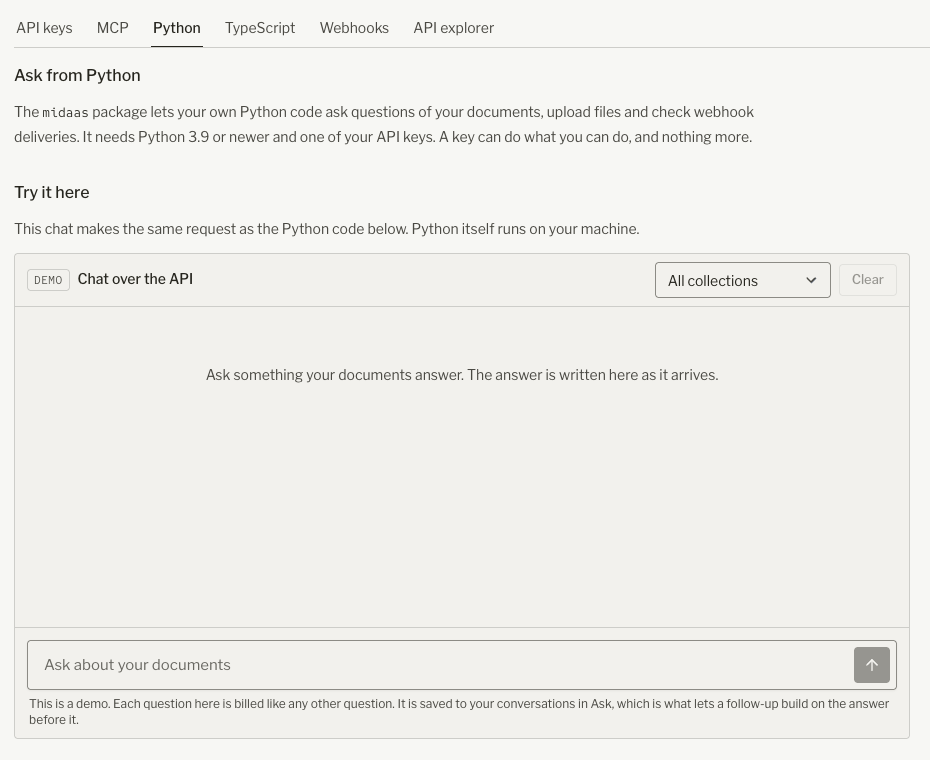
The midaas package lets your own Python code ask questions of your documents, upload files and check webhook deliveries. It needs Python 3.9 or newer and one of your API keys. A key can do what you can do, and nothing more.
The example is a chat in the terminal. The answer is printed as it is written, each question follows on from the one before, and the sources are listed under every answer.
"""A terminal chat with your MIDAAS documents, using the midaas package.

    export MIDAAS_API_KEY="<your key>"
    python chat.py
"""
from midaas import Answer, AuthenticationError, Midaas, MidaasError, RateLimitError, SpendLimitError

# The key is read from the MIDAAS_API_KEY environment variable.
client = Midaas("https://your-workspace.midaas.app")


def ask(question, collection=None, session_id=None):
    """Print the answer as it is written, then return the complete Answer."""
    answer = None
    for piece in client.ask_stream(question, collection=collection, session_id=session_id):
        if isinstance(piece, Answer):
            answer = piece  # the last thing the stream gives: the whole answer with its sources
        else:
            print(piece, end="", flush=True)
    print()
    return answer


def choose(answer):
    """MIDAAS asked which collection was meant: show the choices and return the one picked."""
    print(answer.text)
    if not answer.options:
        return None
    for number, option in enumerate(answer.options, 1):
        print(f"  {number}. {option.name}")
    picked = input("Which one? Type its number: ").strip()
    if picked.isdigit() and 1 <= int(picked) <= len(answer.options):
        return answer.options[int(picked) - 1].collection
    return None


def main():
    print("Ask about your documents. Press Ctrl+C to stop.")
    session_id = None  # sent back with each question, so they belong to one conversation
    while True:
        try:
            question = input("\nYou: ").strip()
        except (EOFError, KeyboardInterrupt):
            print()
            break
        if not question:
            continue
        try:
            print("\nMIDAAS: ", end="", flush=True)
            answer = ask(question, session_id=session_id)
            if answer.needs_clarification:
                collection = choose(answer)
                if collection is None:
                    continue
                print("\nMIDAAS: ", end="", flush=True)
                answer = ask(question, collection=collection, session_id=session_id)
                if answer.needs_clarification:  # nothing was found there either
                    print(answer.text)
                    continue
            session_id = answer.session_id or session_id
            if answer.citations:
                print("\nSources:")
                for c in answer.citations:
                    where = c.collection if c.page is None else f"{c.collection}, page {c.page}"
                    print(f"  - {where}" + (f": {c.section}" if c.section else ""))
        except AuthenticationError:
            print("\nThe API key was not accepted. Check MIDAAS_API_KEY and that the key belongs to this workspace.")
            break
        except SpendLimitError as exc:
            print("\n" + exc.message)  # the workspace's daily AI limit: asking again today will not help
        except RateLimitError as exc:
            wait = f"{exc.retry_after:g} seconds" if exc.retry_after else "a moment"
            print(f"\nToo many requests. Try again in {wait}.")
        except MidaasError as exc:
            print("\nSomething went wrong:", exc.message)


if __name__ == "__main__":
main()"""The same chat without the midaas package: the raw request, standard library only.
export MIDAAS_API_KEY="<your key>"
python chat_raw.py
"""
import json
import os
import urllib.error
import urllib.request
QUERY_URL = "https://your-workspace.midaas.app/api/v1/query"
API_KEY = os.environ["MIDAAS_API_KEY"]
def ask(question, session_id=None):
"""Print the answer as it arrives. Returns the session_id to send with the next question."""
body = {"query": question, "stream": True}
if session_id:
body["session_id"] = session_id
request = urllib.request.Request(
QUERY_URL,
data=json.dumps(body).encode(),
headers={"X-API-Key": API_KEY, "Content-Type": "application/json", "Accept": "text/event-stream"},
method="POST",
)
try:
response = urllib.request.urlopen(request, timeout=120)
except urllib.error.HTTPError as exc:
# {"error": {"code": ..., "message": ...}}: 401 for a bad key, 429 for a limit that was reached
print(f"MIDAAS answered {exc.code}: {exc.read().decode(errors='replace')}")
return session_id
with response:
if "text/event-stream" not in response.headers.get("Content-Type", ""):
# Not a stream: MIDAAS is asking which collection you meant.
reply = json.load(response)
print(reply.get("message") or reply.get("answer", ""))
for option in reply.get("options", []):
print(" -", option.get("display_name"), f"(collection_key: {option.get('collection_key')})")
return session_id
# Server-sent events: one JSON object per "data: " line.
for line in response:
if not line.startswith(b"data: "):
continue
event = json.loads(line[6:])
if event["type"] == "delta":
print(event.get("text", ""), end="", flush=True)
elif event["type"] == "citations":
print("\n\nSources:")
for c in event.get("citation_details", []):
print(f" - {c.get('collection_key')}, page {c.get('page')}")
elif event["type"] == "error":
print("\n" + event.get("text", "The answer could not be completed."))
elif event["type"] == "done":
session_id = event.get("session_id") or session_id
print()
return session_id
session_id = None
print("Ask about your documents. Press Ctrl+C to stop.")
while True:
try:
question = input("\nYou: ").strip()
except (EOFError, KeyboardInterrupt):
print()
break
if question:
print("\nMIDAAS: ", end="", flush=True)
session_id = ask(question, session_id)Ask from TypeScript
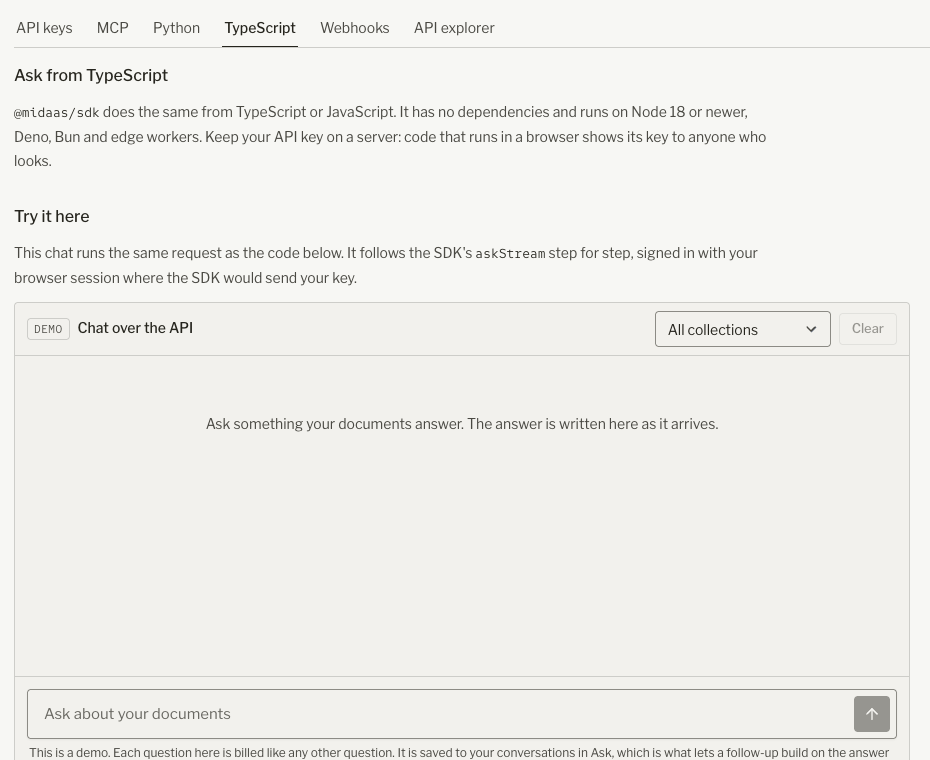
@midaas/sdk does the same from TypeScript or JavaScript. It has no dependencies and runs on Node 18 or newer, Deno, Bun and edge workers. Keep your API key on a server: code that runs in a browser shows its key to anyone who looks.
Three files: a chat in the terminal, a server route that keeps the key out of the browser, and a React component that talks to that route.
// A terminal chat with your MIDAAS documents, using @midaas/sdk (Node 18 or newer).
//
//   export MIDAAS_API_KEY="<your key>"
//   npx tsx chat.ts
import { createInterface } from "node:readline/promises";
import { AuthenticationError, Midaas, MidaasError, RateLimitError, SpendLimitError, type Answer } from "@midaas/sdk";

// The key is read from the MIDAAS_API_KEY environment variable.
const client = new Midaas({ baseUrl: "https://your-workspace.midaas.app" });
const terminal = createInterface({ input: process.stdin, output: process.stdout });

/** Print the answer as it is written, then return the complete Answer. */
async function ask(question: string, options: { collection?: string; sessionId?: string } = {}): Promise<Answer> {
  let answer: Answer | undefined;
  for await (const piece of client.askStream(question, options)) {
    if (typeof piece === "string") process.stdout.write(piece);
    else answer = piece; // the last thing the stream gives: the whole answer with its sources
  }
  process.stdout.write("\n");
  if (!answer) throw new MidaasError("The answer stream ended before the answer was complete.");
  return answer;
}

/** MIDAAS asked which collection was meant: show the choices and return the one picked. */
async function choose(answer: Answer): Promise<string | undefined> {
  console.log(answer.text);
  if (answer.options.length === 0) return undefined;
  answer.options.forEach((option, i) => console.log(`  ${i + 1}. ${option.name}`));
  const picked = Number(await terminal.question("Which one? Type its number: "));
  return answer.options[picked - 1]?.collection;
}

async function main(): Promise<void> {
  console.log("Ask about your documents. Press Ctrl+C to stop.");
  let sessionId: string | undefined; // sent back with each question, so they belong to one conversation
  for (;;) {
    let question: string;
    try {
      question = (await terminal.question("\nYou: ")).trim();
    } catch {
      break; // Ctrl+C or the end of the input
    }
    if (!question) continue;
    try {
      process.stdout.write("\nMIDAAS: ");
      let answer = await ask(question, { sessionId });
      if (answer.needsClarification) {
        const collection = await choose(answer);
        if (!collection) continue;
        process.stdout.write("\nMIDAAS: ");
        answer = await ask(question, { collection, sessionId });
        if (answer.needsClarification) {
          console.log(answer.text); // nothing was found there either
          continue;
        }
      }
      sessionId = answer.sessionId ?? sessionId;
      if (answer.citations.length > 0) {
        console.log("\nSources:");
        for (const c of answer.citations) {
          const where = c.page === null ? c.collection : `${c.collection}, page ${c.page}`;
          console.log(`  - ${where}${c.section ? `: ${c.section}` : ""}`);
        }
      }
    } catch (error) {
      if (error instanceof AuthenticationError) {
        console.log("\nThe API key was not accepted. Check MIDAAS_API_KEY and that the key belongs to this workspace.");
        break;
      } else if (error instanceof SpendLimitError) {
        console.log(`\n${error.message}`); // the workspace's daily AI limit: asking again today will not help
      } else if (error instanceof RateLimitError) {
        console.log(`\nToo many requests. Try again in ${error.retryAfter ? `${error.retryAfter} seconds` : "a moment"}.`);
      } else if (error instanceof MidaasError) {
        console.log("\nSomething went wrong:", error.message);
      } else {
        throw error;
      }
    }
  }
  terminal.close();
}

main();// The backend half of Chat.tsx: POST /api/chat. It adds your MIDAAS API key, which must stay on
// the server, and passes the answer through as it streams. This is a standard fetch handler
// (Request in, Response out): it is a Next.js route as written (app/api/chat/route.ts), and the
// same function works in Hono, Remix, Bun, Deno and Cloudflare Workers.
const QUERY_URL = "https://your-workspace.midaas.app/api/v1/query";
export async function POST(request: Request): Promise<Response> {
// Check here that the caller is signed in to YOUR app. Without that check, anyone who finds
// this address can ask questions on your key, and each question is billed.
const { question, sessionId } = (await request.json()) as { question?: string; sessionId?: string };
if (!question?.trim()) return Response.json({ error: { message: "A question is needed." } }, { status: 400 });
const upstream = await fetch(QUERY_URL, {
method: "POST",
headers: {
"X-API-Key": process.env.MIDAAS_API_KEY ?? "",
"Content-Type": "application/json",
Accept: "text/event-stream",
},
body: JSON.stringify({ query: question, stream: true, ...(sessionId ? { session_id: sessionId } : {}) }),
signal: request.signal, // stop asking MIDAAS when the browser goes away
});
// Pass the status and the body through untouched: a stream of events for an answer, or JSON
// for an error or for a question back from MIDAAS.
return new Response(upstream.body, {
status: upstream.status,
headers: {
"Content-Type": upstream.headers.get("Content-Type") ?? "application/json",
"Cache-Control": "no-cache",
},
});
}// A chat box for your own React app. It talks to YOUR backend (POST /api/chat, in route.ts), never
// to MIDAAS directly: an API key must never be shipped to a browser, where anyone can read it.
import { useRef, useState, type FormEvent } from "react";
interface Message {
role: "user" | "assistant";
text: string;
}
export function Chat() {
const [messages, setMessages] = useState<Message[]>([]);
const [question, setQuestion] = useState("");
const [busy, setBusy] = useState(false);
const sessionId = useRef<string | undefined>(undefined); // sent back, so follow-ups belong to one conversation
/** Replace the text of the answer being written (the last message). */
const show = (text: string) => setMessages((all) => [...all.slice(0, -1), { role: "assistant", text }]);
async function send(event: FormEvent) {
event.preventDefault();
const asked = question.trim();
if (!asked || busy) return;
setQuestion("");
setBusy(true);
setMessages((all) => [...all, { role: "user", text: asked }, { role: "assistant", text: "" }]);
try {
const response = await fetch("/api/chat", {
method: "POST",
headers: { "Content-Type": "application/json" },
body: JSON.stringify({ question: asked, sessionId: sessionId.current }),
});
if (!response.ok) {
// {"error": {"code": ..., "message": ...}}: for example the workspace's daily AI limit
const failure = await response.json().catch(() => null);
show(failure?.error?.message ?? `Something went wrong (${response.status}).`);
return;
}
if (!response.headers.get("Content-Type")?.includes("text/event-stream") || !response.body) {
// Not a stream: MIDAAS is asking which collection was meant.
const reply = await response.json();
show(reply.message ?? reply.answer ?? "");
return;
}
// Server-sent events: one JSON object per "data: " line. A line can arrive in two pieces,
// so keep the unfinished end in a buffer.
const reader = response.body.getReader();
const decoder = new TextDecoder();
let buffer = "";
let text = "";
for (;;) {
const { done, value } = await reader.read();
if (done) break;
buffer += decoder.decode(value, { stream: true });
const lines = buffer.split("\n");
buffer = lines.pop() ?? "";
for (const line of lines) {
if (!line.startsWith("data: ")) continue;
const piece = JSON.parse(line.slice(6));
if (piece.type === "delta") show((text += piece.text ?? ""));
else if (piece.type === "error") show(text || piece.text || "The answer could not be completed.");
else if (piece.type === "done" && piece.session_id) sessionId.current = piece.session_id;
}
}
} catch {
show("The chat could not be reached. Check your connection and try again.");
} finally {
setBusy(false);
}
}
return (
<form onSubmit={send}>
<ol>
{messages.map((message, i) => (
<li key={i}>
<strong>{message.role === "user" ? "You" : "MIDAAS"}:</strong> {message.text || "…"}
</li>
))}
</ol>
<input value={question} onChange={(e) => setQuestion(e.target.value)} placeholder="Ask about your documents" aria-label="Your question" />
<button type="submit" disabled={busy || !question.trim()}>
Ask
</button>
</form>
);
}See it on your documents
Bring a manual you know well. Ask it the hard questions.
In a 30-minute walkthrough we load a few of your documents and you ask what your team actually asks. You'll see the answers, the citations and the pages they came from.